
 Pencil Rush
 Draw Leg
 Kids Coloring
 Teeth Runner
 Paint House
 Erase One Part!
 Fidget Spinner Master
 Dot by Dot
 Simon Super Rabbit
 Water Color Sort
 Crunch Lock
 Bus Parking Out
 Tattoo Master 3D: Crazy Art
 Toilet Pin
 Thief Puzzle
 Goods Master 3D
 Click Click Clicker
 Squishy: Taba Paw ASMR
 Space Blast
 Drive-in Cinema: Idle Game
 Domino World
 Happy Boss: Pull Pin
 Royal Kitchen: The Lost King
 Room Sort
 Merge Magnat - Ideal Store
 Tower Defenders
 Best Classic Spider Solitaire
 Hide And Seek: Blue Monster
 Geometry Arrow
 Mahjong Connect
 Bubble Shooter
 Fireboy and Watergirl 1: Forest Temple
 Paper.io 2
 Love Tester
 Hole.io
 Solitaire Classic
 Moto X3M
 Block Blast
 Impostor
 Kris Mahjong
 Gorillaz Tiles
 Love Tester 3
 Butterfly Kyodai
 Mahjong Classic
 Going Balls
 3D Free Kick World Cup 18
 Prison Escape Online
 Jewels Blitz 6
 Don't Tap
 Geometry Jump
 Pet Connect
Color Pixel Art Classic
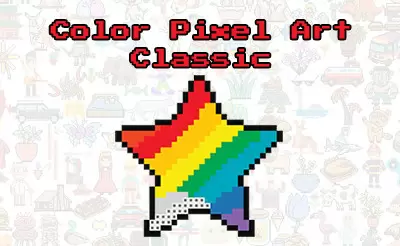
Color Pixel Art Classic is a fun coloring game for kids. Create your own pixel art. Zoom in on each picture to see the pixels up close. Each pixel has a number on it that matches one of the colors on your palette. Choose a hue and find all the right pixels to paint with that color.
How do you play Color Pixel Art Classic?
In this kids game, you can choose more than 150 pixel art images to color in. Choose between all kinds of different animals. There are pictures of cats, dogs, tropical fish, colorful birds of paradise, dinosaurs, and so much more!
Tap on an image to begin this color-by-number game. Once you’ve chosen an image, tap on it again to zoom in. Now, you’ll see the numbered pixels up close. All the pixels are gray to begin with. It’s your job to select the right colors and paint them all kinds of bright hues.
Once your pixel art painting is done, the image will zoom out automatically so that you can see the artwork you’ve created.
How do you color a row or pixels in Color Pixel Art Classic?
Select a color and then tap a pixel to color it in. If you press and hold for a moment, a pencil icon will appear in the top right corner of the screen. Keeping the mouse button or your finger pressed down, you can now drag across the screen to color multiple pixels with a single swipe. This is very useful for coloring bigger areas.
When was Color Pixel Art Classic first published?
This game was first released in March 2018. An updated version appeared on November 19, 2021.
Who made Color Pixel Art Classic?
This game was developed by Famobi.


